Kiosks & self-service
Remote access for kiosks that live on someone else's network.
Ticketing, ordering, check-in, and self-service terminals sit in stores, lobbies, and public spaces, behind firewalls you do not control. Front Desk reaches them without opening a single inbound port.
The kiosk problem
You own the kiosk. The venue owns the network.
When a kiosk misbehaves, support needs to see the screen, restart a service, or check a local admin page. The usual options are bad: expose VNC or RDP to the internet, negotiate a VPN with every venue's network team, or roll a truck.
No inbound ports
The kiosk calls out to Front Desk. The venue network normally only needs to allow outbound traffic to approved domains, a far easier conversation than port forwarding.
No per-site VPN project
Every store has a different network, ISP, and policy. Outbound-only access repeats cleanly across hundreds of locations without address planning.
No public servers
A kiosk with an exposed VNC, SSH, or admin port is a public server with patching and password problems. Front Desk keeps it private.
What support gets
See it, fix it, close the session, keep the record.
Front Desk brokers a short-lived, session-aware path from your operator to one specific kiosk: a browser-based GUI session to see what the customer sees, terminal access for services, or the kiosk's own local admin page, with optional approval before the session starts and history after it ends. When the fault is in the data (a price file, an order queue, an inventory cache), support can open the kiosk's local database with their own tools through the same approved path.
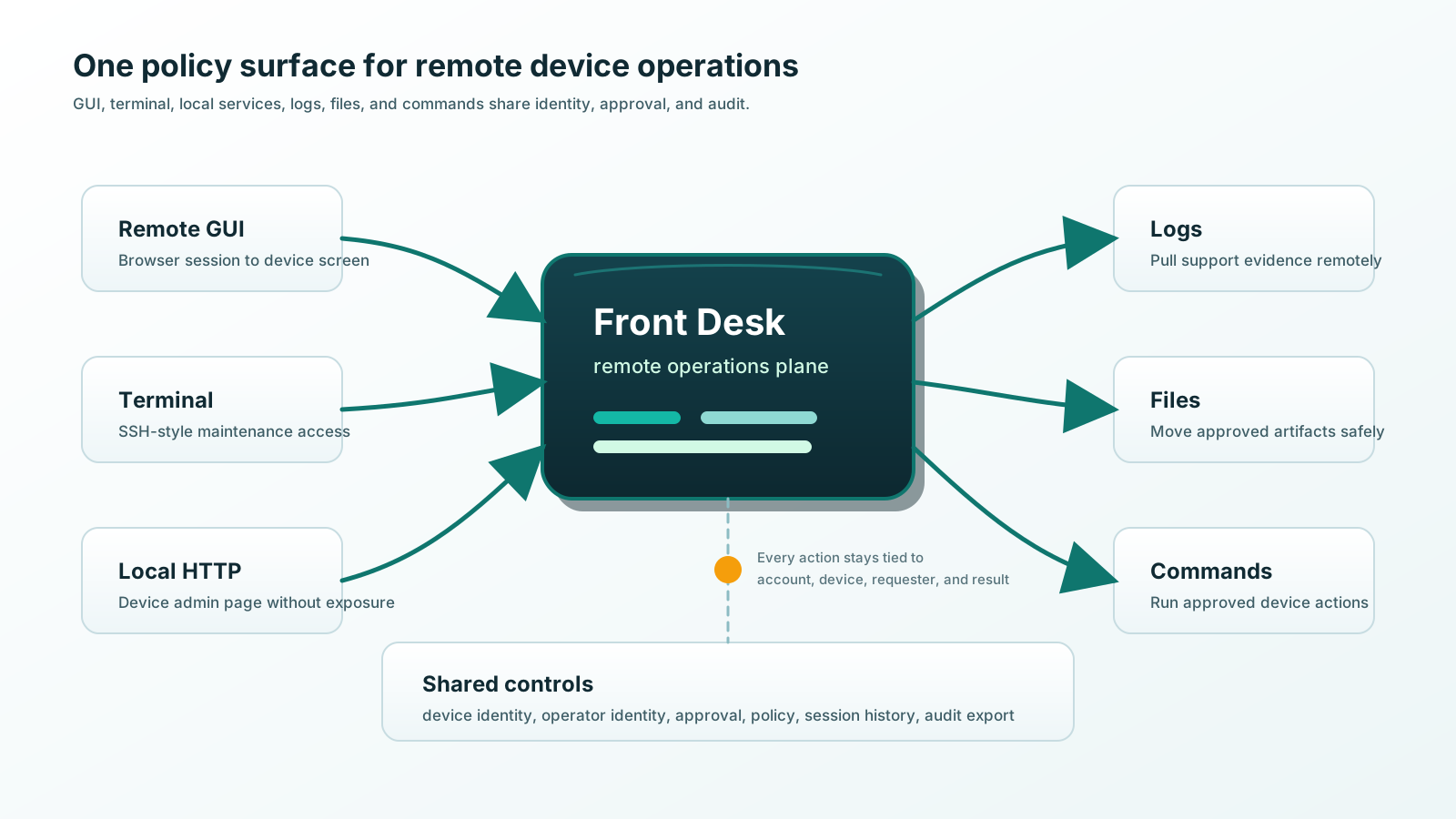
- Browser GUI session
- Terminal access
- Local admin pages
- Database access
- Reachability at a glance
- Optional approval
- Session history
Kiosk questions
Asked by kiosk operators.
Does kiosk remote access require opening inbound ports at the store?
No. The kiosk makes outbound contact to Front Desk, and support connects through a controlled web portal. The store network normally only needs to allow outbound traffic to approved Front Desk domains.
Will it work on a network the store owner controls?
That is the design target. Outbound-only access is normally far easier for a site owner to approve than inbound firewall rules, port forwarding, or a site-to-site VPN.
Does Front Desk support both Windows and Linux kiosks?
Yes. Front Desk is designed for mixed fleets: Windows 11, Windows 10, Windows 8.1 Embedded, Linux distributions, and Yocto-built images, on x86 and ARM hardware.
What if a kiosk is offline?
Then no live session is possible, and that is visible. The portal shows last contact time and current status, so support knows whether the kiosk is reachable before anyone wastes a trip or a ticket.